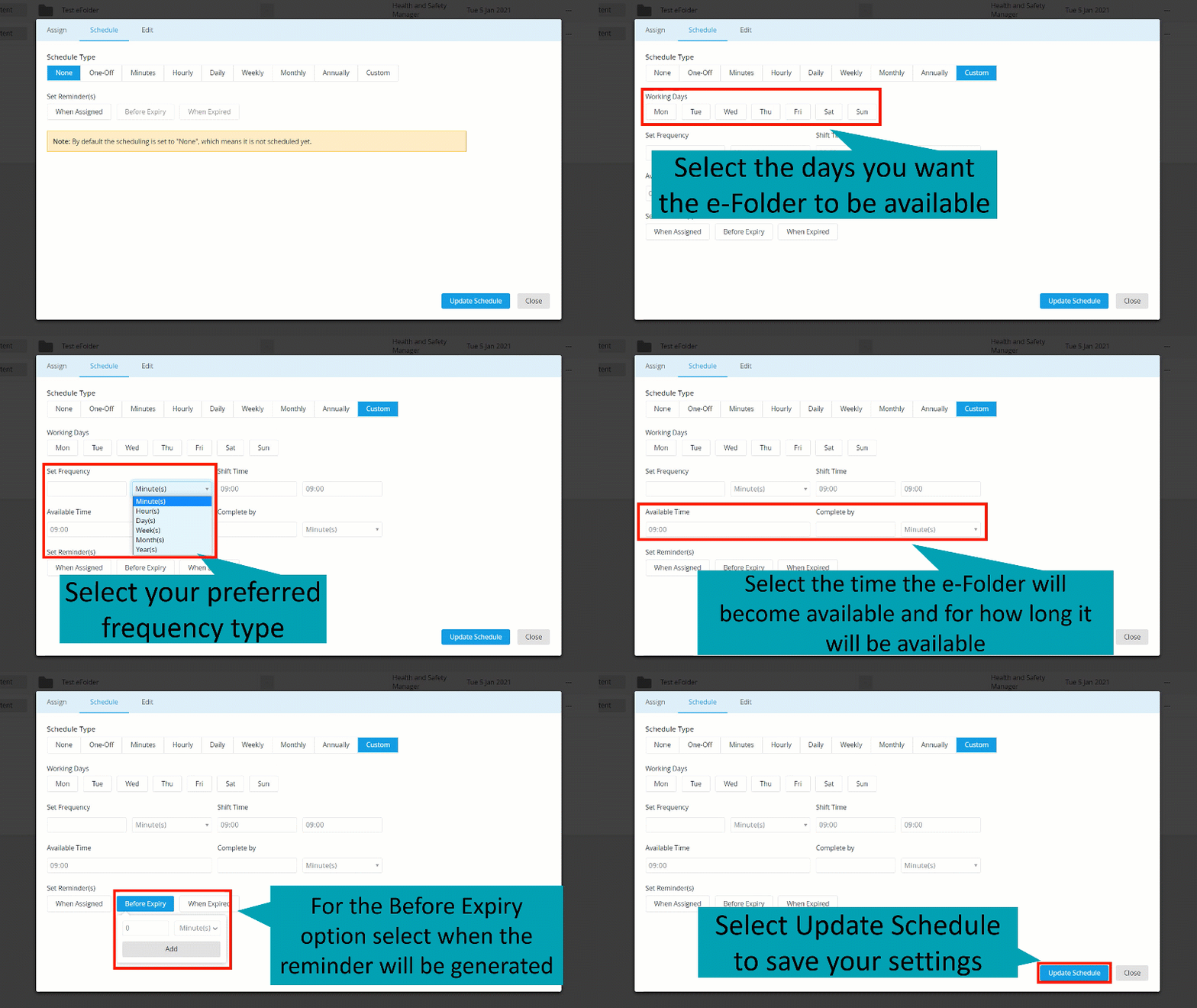
For a Custom schedule option:
- Select the Custom schedule option
- Select the Working Days the e-Folder will be available
- Select your preferred Frequency Type
- Set the Shift Time for when the e-Folder will be available
- Select the Available Time and Complete By time to specify the deadline of completion
- Set Reminders to be generated for assigned users
- Select Update Schedule to save your changes
Note: for the Before Expiry Reminder option select the time you want the reminder to be generated. Available Time is the time the e-Folder and its content will become available for completion. Complete By is the time the e-Folder and its content will stop being available for completion.